
Camera and photos#
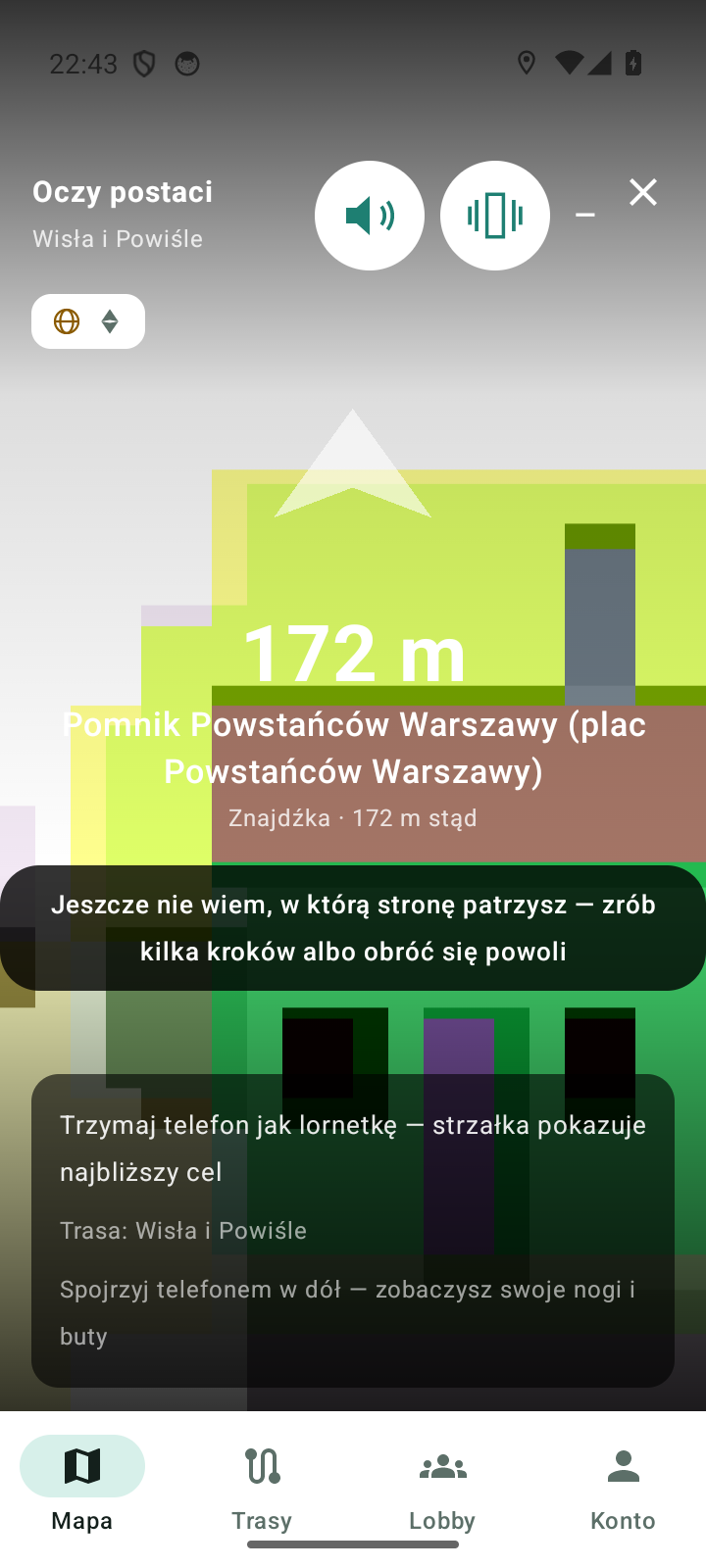
The camera view — called character's eyes in the app — shows what your character sees: the image from your phone's camera with a crosshair and a hint of how many metres separate you from the goal. It is the same button that opens the AR view: on a phone with ARCore you will see 3D models standing in the world (AR view), and without ARCore — the 2D version with GPS and direction.
The app does not take photos: the camera image is not recorded or sent, it stays on the phone. If you want a photo, use the system camera.
How to enter and how to exit#
- You can enter in two ways — both lead to the same view:
- a tile in the top right corner of the map, labelled “Camera — character's eyes (AR view)”,
- tapping your character on the map.
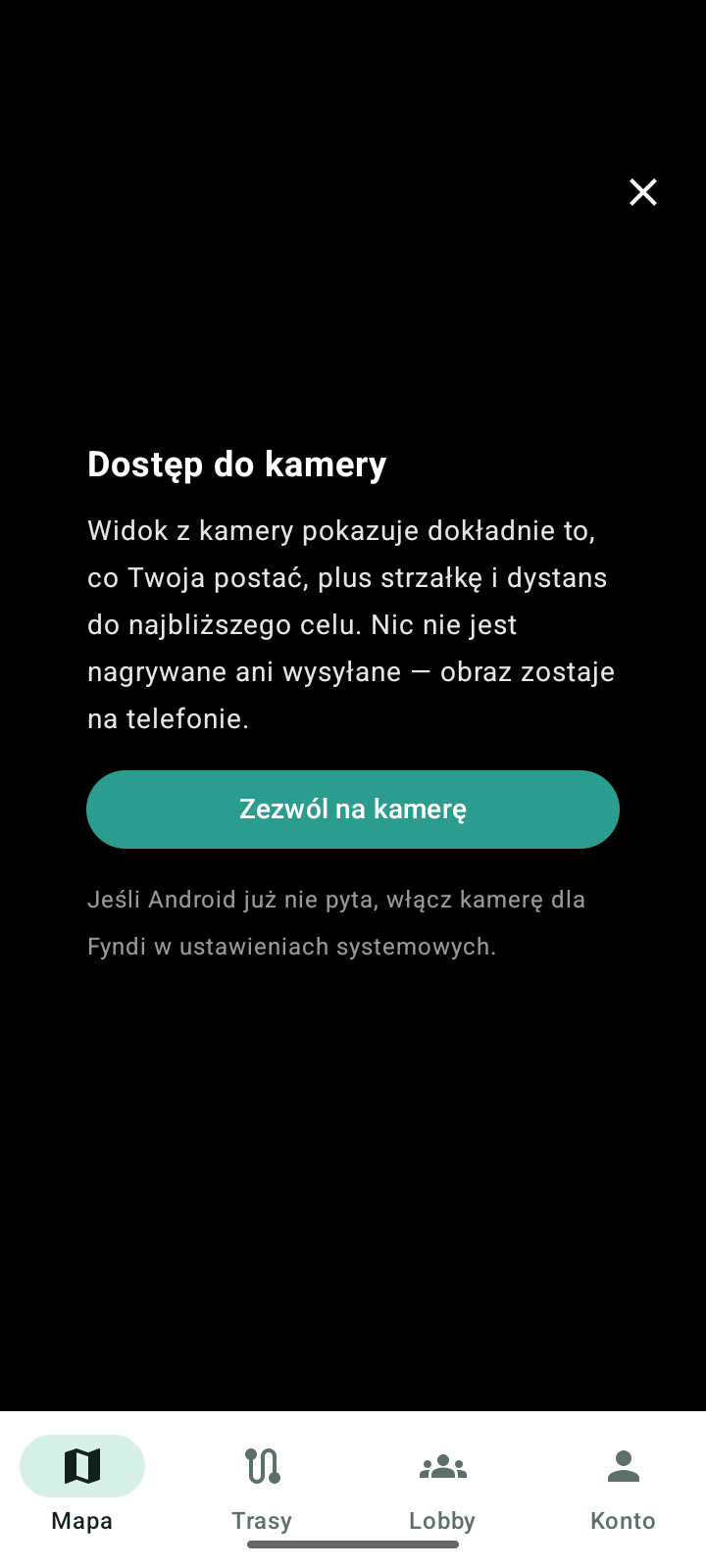
- On the first entry a card “Camera access” appears with the information that nothing is recorded or sent. Tap Allow camera.
- If Android does not ask again (you declined earlier), turn the camera on for Fyndi in the system settings — the app will then show you how to do it.
- Exit: Back to map or the system back button. The map returns to the same place. The cross is on screen even when the camera has not been granted permission.
Goal HUD#
| On the frame | What it means |
|---|---|
| goal name | what you are heading to: Next stop, Stop on the route, Route start, Find or Point of interest |
| distance | how many metres are left to the goal |
| arrow | which way to walk, counted from the direction the phone is looking |
| compass rose | where the cardinal directions are in the frame; the dot shows your goal |
| Goal behind you — turn back | the goal is behind you; turn around with the phone |
| Waiting for GPS… | there is no position yet — step out of the arcade, give the app a moment |
| I don't know which way you're looking yet… | take a few steps or turn around slowly |
| No goal within 2 km | pick a route or a find on the map |
- The HUD leads to the goal, not along turns — you will not see an order like “turn right in 40 m” here. Such a guided walk is a job for Navigation.
- The distance appears as soon as the position is caught; with a weak signal the number jumps, but the arrow keeps the last sensible direction.
What you see on the frame#
- The camera image full screen plus the HUD overlay.
- The character's legs and shoes: looking straight ahead, the legs are not on the frame. When you tilt the phone down, your legs and shoes slide in from the bottom edge — in your colours and in the rhythm of real steps.
- Quality indicator: the same icons as in the AR view (position, geospatial coverage, direction). In the 2D version geospatial coverage shows “none”, because there is no ARCore session — that is not an error.
- Finder: a beep and a vibration lead you to a find or to the start of a route, and the circle on the edge of the frame glows from the side where the goal is. The sound and vibration switches are remembered between entries and after an app restart; one set also works in the AR view.
- Steps: as you walk you hear your feet, and the pace of the sound follows the pace of your walk.
Character emotes#
| Emote | When it appears |
|---|---|
| Jump | at the start of a route and after completing a stop |
| YES nod | after a correct answer to a puzzle |
| NO nod | after a wrong answer to a puzzle |
| Sleep | when you stand still for about a minute — the character gets “bored” and stretches its back |
From every emote the character wakes up instantly at the first movement. When you have a vehicle turned on, automatic sleep is off — the character does not lie down in the middle of a ride. The look and colours you see on the frame are your set from the creator (Character and creator).
When the camera does not open#
| Symptom | What to do |
|---|---|
| “Camera is busy — close other apps using the camera and try again.” | close other apps with the camera and enter again |
| No permission for the camera | allow it when the app asks; if Android no longer asks, turn the camera on for Fyndi in the system settings |
| Black screen after returning from the background | go back to the map and enter again — the camera will open from scratch |
| Camera view without 3D models | that is the 2D version for phones without ARCore; guidance and the HUD work the same way |
Documented for app version 0.120.1 (updated 2026-09-26).
Machine translation — the Polish version prevails.