Rewards and badges#
For touring you get tokens — a currency you exchange for cosmetics and discounts — and badges, that is durable markers for what you have already done. Tokens get spent, badges stay.
Tokens: where they come from#
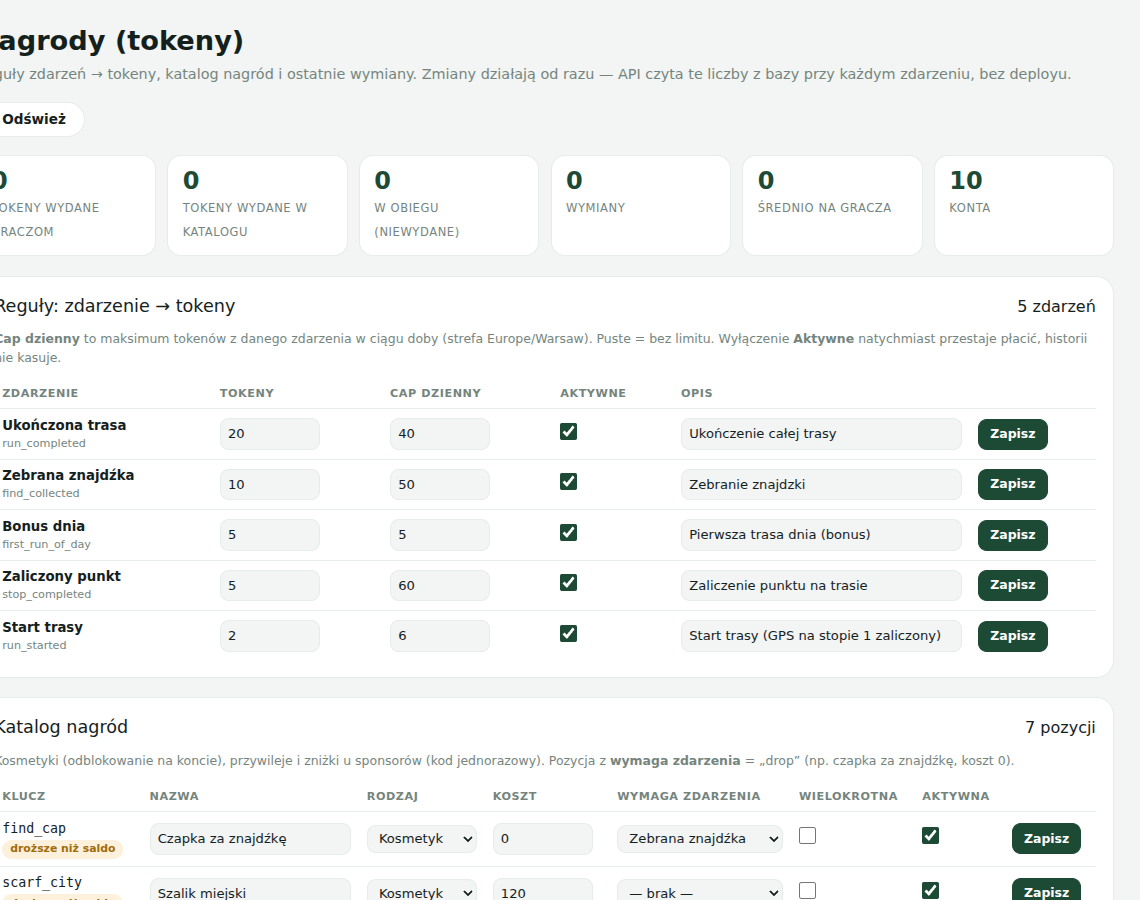
Tokens are earned for in-game events, not for time spent in the app:
| Event | When it counts |
|---|---|
| Route started | the moment you tap Start route at the start point |
| Stop completed | for every completed route stop |
| Route completed | when you complete the last stop |
| Find collected | for every collected find, including a gift from a bot |
| First route of the day | a bonus for the first route start of a given day |
Every event has a daily limit — above it the game does not pay, so that nobody can “farm” the balance over and over. The balance always comes from the server; the app does not guess it.
Where to see your balance and history#
| Where | What is there |
|---|---|
| Profile → the “Tokens and rewards” section | the balance (“tokens to spend”), the reward catalogue and the Where tokens come from section with the latest credits |
| Code to show staff | if you have exchanged a reward for a coupon, its code appears in the exchange card |
| Refresh balance | pulls the state from the server when you want to be sure you are seeing the current figure |
| Account on the website | the same history and balance at fyndi.app/account |
How to exchange tokens for a reward#
- Open the Profile and scroll down to the Tokens and rewards section.
- In the Catalogue look through the items — each one shows its price in tokens and its state: You can afford it, Short by N (how much is missing), Owned (you already have it) or Unavailable.
- Tap the Redeem button next to an item you can afford.
- Confirm in the window with the price — the tokens leave your balance and the reward (a coupon, a code or a cosmetic) lands among your items.
- The balance shown after the exchange comes from the server, so it is real even when you play on two devices.
The button is blocked while the request is in flight (“Redeeming…”), so that an accidental double tap does not order two rewards. “Free (drop)” rewards have a price of zero — you claim them without spending tokens.
Badges#
Badges are markers for milestones. You see them in the Profile (the Badges tile), and the screen summarises the state with the sentence “N of 15 unlocked”. Every badge has the state Earned or Not earned yet, and the earned ones — a date.
| Badge | Threshold |
|---|---|
| First steps | walk 1 km |
| First walk | walk 5 km |
| Walker | walk 25 km |
| City marathon | walk 42.2 km in total |
| City day | walk 10 km in a single day |
| Wanderer | walk 100 km |
| First find | collect 1 find |
| Hunter | collect 10 finds |
| Collector | collect 25 finds |
| First route | complete 1 route |
| Explorer | complete 5 routes |
| Local | complete 10 routes |
| Night owl | be out after 10 pm |
| Early bird | be out before 7 am |
| Three-day streak | 3 days in a row with activity |
The thresholds are computed from the data you already have in your profile: distance covered, finds collected, routes completed and days of activity. Distance is only counted while the map is running — a walk with the app closed does not increase the counter.
What else counts as progress#
- Distance — a tile in the Profile, computed from the batches of positions the map sends.
- Routes completed — how many routes you walked to the finish (abandoned ones do not count).
- Finds — how many you collected in total, including gifts from bots.
- Backpack — items and finds collected in one place (Finds).
Documented for app version 0.120.1 (updated 2026-09-26).
Machine translation — the Polish version prevails.