
Exploring together (lobbies)#
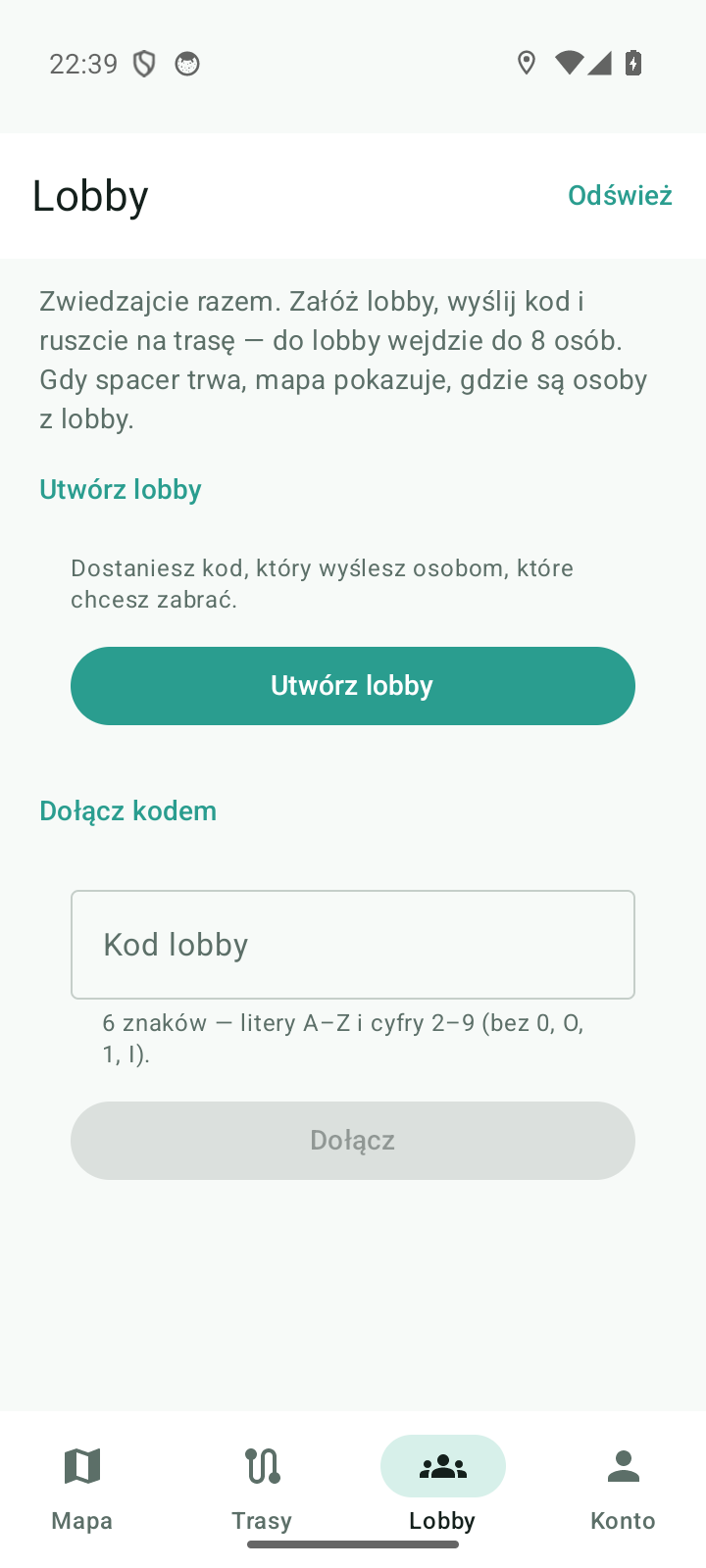
“Do not tour alone” — the Lobby tab lets you bring your friends along. You create a room, send a short code, and the map shows where the people from your lobby are. Everyone goes at their own pace; what counts is that you are together.
What a lobby is#
| Element | Value |
|---|---|
| Code | 6 characters: letters A–Z and digits 2–9 — no 0, O, 1, I, so there are no mix-ups when copying it out |
| How many people | up to 8 in one lobby |
| Starting the walk | from 2 people — and only the host can start it |
| How long it lives | 2 hours; the code is the only way in |
| States | Gathering → Walk in progress → Lobby closed |
How to create a lobby#
- Open the Lobby tab (bottom bar).
- Tap Create lobby — you get a code, e.g.
K7M2QX. - Copy the code with the Copy code button or send it with Share (the system share sheet).
- Wait for someone to join. The counter shows the state: In lobby: 2/8.
How to join#
- In the Lobby tab type the code into the Lobby code field (capitals) and tap Join.
- If the code is mistyped, the app says so right away — without contacting the server (it checks the length and the characters: the message will tell you what to correct).
- Once you are in, you see the list People in the lobby with the host and you badges.
Typical messages and what they mean:
| What you see | What it means |
|---|---|
| “No lobby with that code” | the code was mistyped or the lobby has already closed |
| “The lobby is full (8 people)” | ask the host for a new lobby or wait until someone leaves |
| “This walk has already started” | you will join the next one; the host can create a new lobby |
| “The lobby expired — a lobby lives for 2 hours” | create a new one |
| “At least 2 people are needed to start” | the second participant has not joined yet |
| “Only the host can start the walk” | the start button belongs to the host alone |
Lobby members on the map#
- While the walk is on, the map shows figures of the people from your lobby — the position refreshes every 5 seconds.
- They are seen only by the members of that lobby. The code gives access to this one room — not to the accounts, routes or positions of anyone outside the group.
- Your lobby position is not the same thing as the global “player visibility” in Settings. It is a separate consent for the duration of the lobby.
- After you leave the lobby your position disappears from the server. Closing or expiring the lobby removes everyone's positions, and after 5 minutes without a refresh a position expires by itself — nothing outlives its lobby.
Starting the walk#
- Make sure there are at least 2 people in the lobby (“One more person needed — send them the code”).
- The host taps Start walk — the status changes to Walk in progress, and the participants see the message “Started! Explore together.”
- Someone from outside can no longer join a walk in progress (they will be told that the walk has started).
- Head out to the map (Open the map) and explore — everyone starts their route on their own (Walking a route).
Leaving and closing#
- Leave lobby — you leave the room and your position is deleted.
- When the host leaves, the longest-standing member becomes the host and the lobby carries on.
- When everyone leaves, the lobby closes.
- After 2 hours the lobby expires on its own — then you create a new one and send a new code.
Documented for app version 0.120.1 (updated 2026-09-26).
Machine translation — the Polish version prevails.